
Build your rank by taking part in the Cimmarian Discord. From Iron to Master, activity ranks recognise your participation and unlock more community features along the way.
This guide explains how to check your points, which activities count and what each rank unlocks. Supporter memberships and Server Boosts have their own benefits, explained below.
Updated October 2026
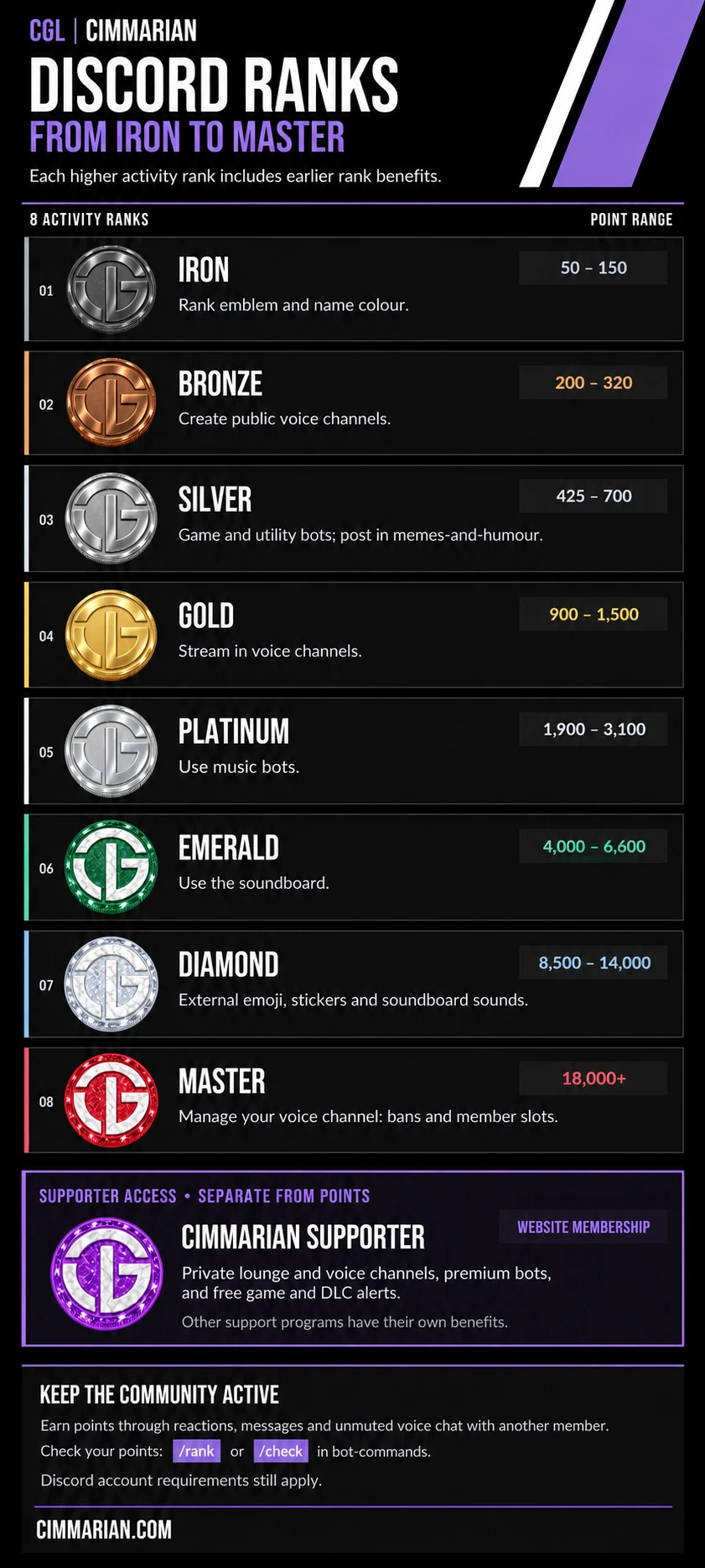
Check your rank and points
- Open bot-commands in the Cimmarian Discord.
- Run
/rankor/check. - Review the bot’s response for your rank and points information.
You need to be in the server to open its channels. Join the Cimmarian Discord here.
Earn rank points
- React to posts in the server.
- Join conversations by sending messages.
- Participate in voice chat, unmuted, with at least one other member.
Keep your contributions meaningful and follow the server’s rules.
Activity ranks and their unlocks
Each higher activity rank includes the benefits unlocked by the ranks below it.
Iron | 50–150 points
Iron rank emblem and a name colour.
Bronze | 200–320 points
Create public voice channels in the Cimmarian category.
Silver | 425–700 points
Game and utility bots, plus posting access in memes-and-humour.
Gold | 900–1,500 points
Stream in the server’s voice channels.
Platinum | 1,900–3,100 points
Use the community’s music bots.
Emerald | 4,000–6,600 points
Use the soundboard.
Diamond | 8,500–14,000 points
Permissions for external emoji, stickers and soundboard sounds.
Master | 18,000+ points
Manage your own voice channel, including channel bans and member slots.
These unlocks grant permissions within Cimmarian. Your Discord account’s feature requirements still apply.
Supporter access and other ways to support
Cimmarian Supporter is a support role, separate from the points progression. It is not an additional activity rank after Master.
The website’s Supporter | Discord tier includes perks such as a private lounge, private voice channels, premium bots and free game and DLC alerts. Check the membership page for current benefits and other support options, including Patreon.
Choose the guide for your support method:
- Cimmarian website membership benefits
- Twitch, YouTube, Kick and TikTok subscriber benefits
- VRChat membership benefits
- Discord Server Boosting benefits
Each program has its own requirements. An activity rank, Server Boost or subscription on another platform does not automatically include a paid Cimmarian website tier.
Missing a rank or permission?
Check your rank using the commands above. If a role or feature appears to be missing, open a support ticket in the Cimmarian Discord. Include your Discord username, the rank or points shown by the bot, and the feature or channel you cannot access.
For other community or membership questions, visit Member Help & FAQ.
Rank requirements and permissions may change as Cimmarian develops.